Hard ResetUpdated a month ago
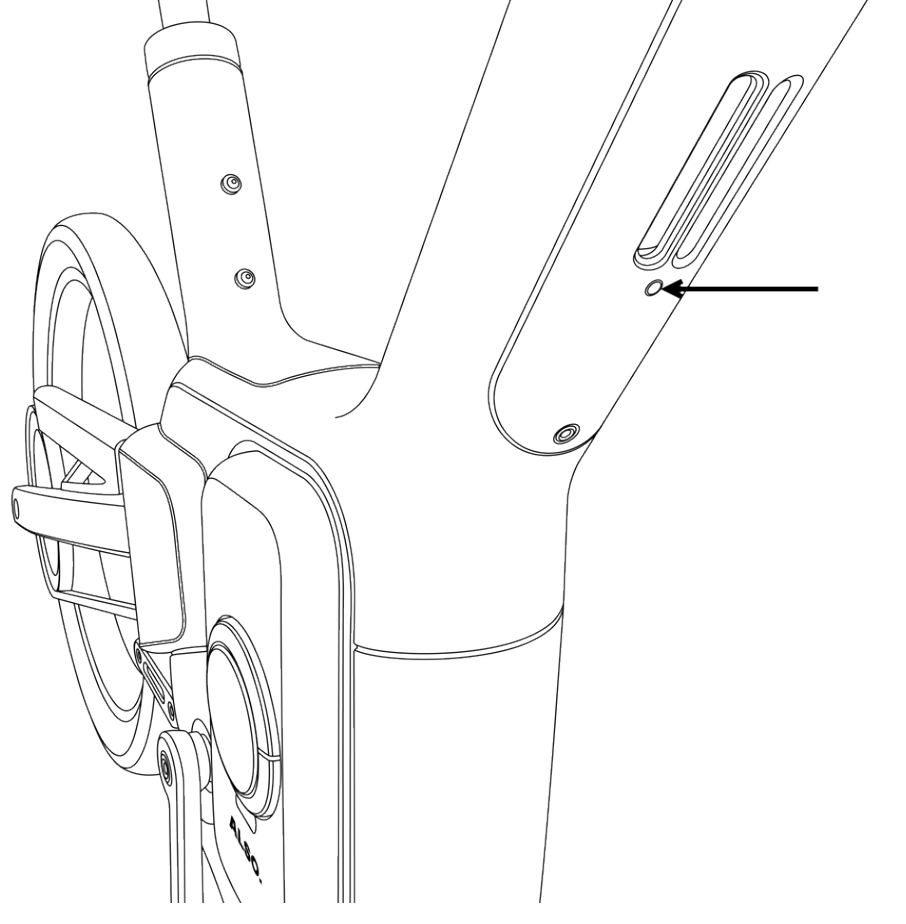
To perform a full power cycle of the TM-B, hold the button down on the bottom of the down tube, under the speaker grill. Press for about 15 seconds or until the display shuts off. This will power down the bike and its computer. Then, hold the button down again to turn it back on.
This is the first step in troubleshooting any error codes, unusual behavior on the TM-B’s display, or connectivity issues.
For issues with riding, physical issues, or anything that could affect safety like brakes or propulsion, stop riding right away and contact us at [email protected].
Full Computer Reset
If your issue with the display or connectivity isn't resolved after a reboot, hold down the same button for 30-60 seconds. The display will flash. power down, and reboot on its own.
This clears the short-term memory of all boards. It may temporarily clear error codes, but if they impact core systems, the codes will return. It does not clear user data like odometer, settings, or linked account.