
Swapping Top FramesUpdated 2 hours ago
Swapping Top Frames (Seats)
Seats on the TM-B are modular. We call them Top Frames: the saddle, seat post, and latch that attaches it to the base frame.
Every TM-B can switch between a Solo, Utility, or Bench top frame as desired.
There is a Top Frame for every body:
Solo and Utility Top Frames come in small and large sizes.
Bench top frames are one size fits all.
See the TM-B Specifications article for detailed measurements.
Additional top frames are available for purchase on the ALSO website.
To change a top frame:
Make sure the TM-B is unlocked.
Remove the current top frame: set the Portal to the Walk screen, tap the Eject arrow, then tap the Top Frame icon.
After a moment, the Portal shows a message that it's safe to remove, then lift the Top Frame off and set it aside.
Install a Top Frame by placing the front of its base into the lock first (like putting on a shoe), then lowering the back in and holding it for a moment.
The TM-B detects the top frame and locks it automatically.
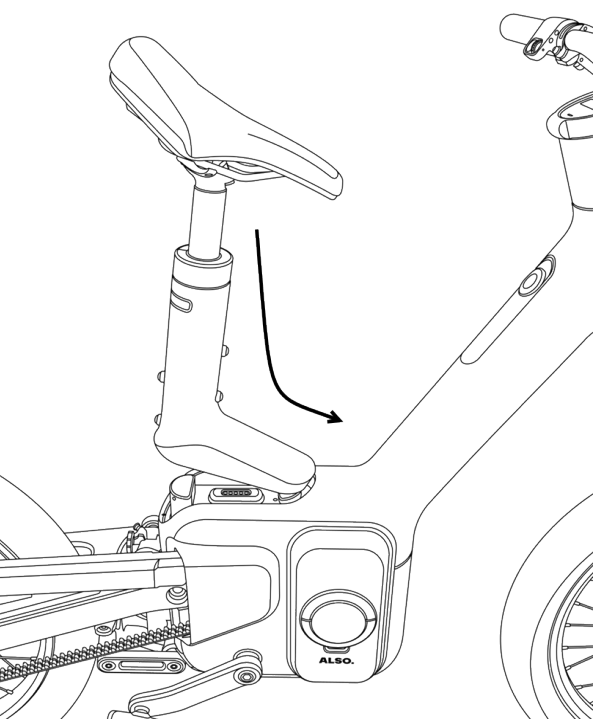
Ensure the Top Frame is securely latched, and adjust your seat height accordingly. You’re ready for your next mission!