Software and the PortalUpdated an hour ago
What is the Portal?
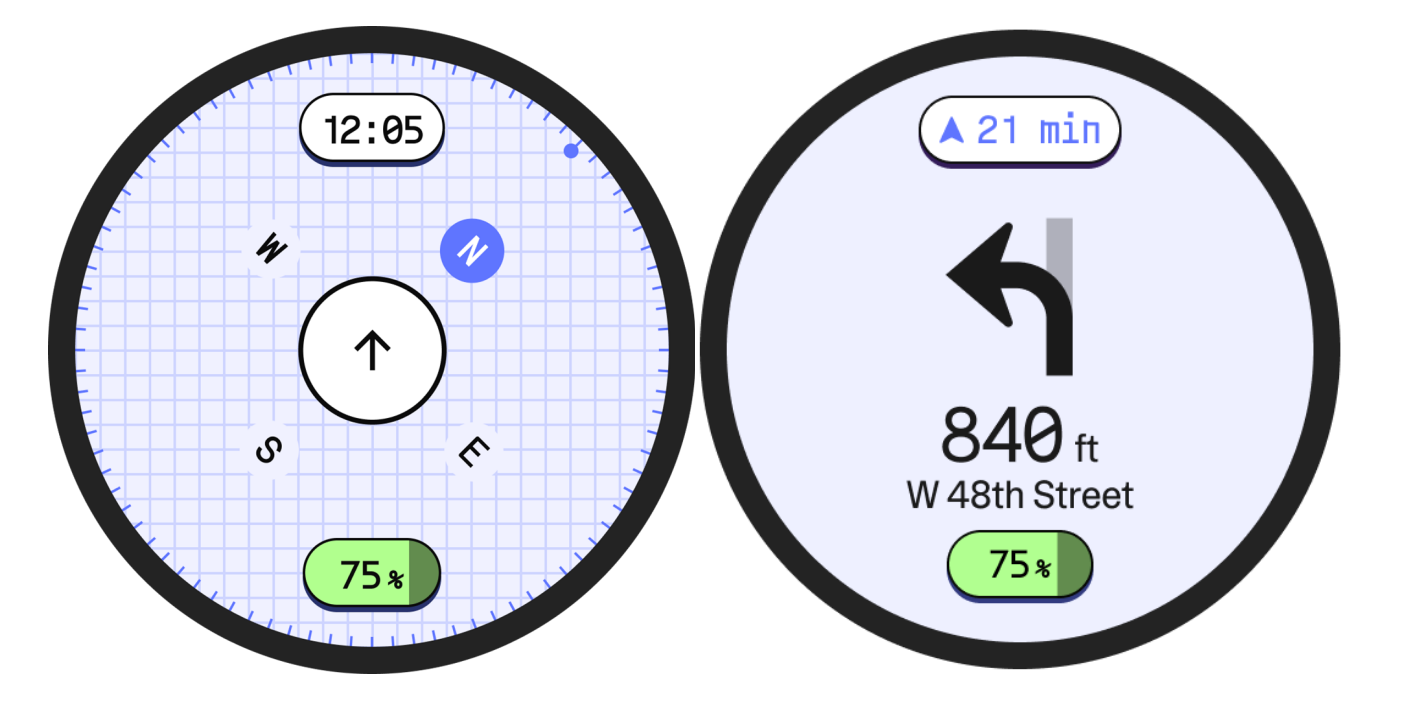
The portal is the TM-B's onboard display, where you see navigation, ride mode, and other on-bike information. Control settings, get real-time data, media controls, and more.
What does the Portal do?
Quite a bit. It’s the window into the TM-B’s soul.
The main display gives you all at-a-glance info you need during a ride:

A: Battery charge remaining
B: Energy bar (power used vs power regeneration)
C: Current ride mode
D: Speedometer
E: Assist level or selected gear
Swipe over or press the control button on the Cockpit to see Navigation and a Compass.
Do I need my phone with me to ride the TM-B?
No. Once your TM-B is paired and set up, you don't need your phone for day-to-day riding. You only need it for initial pairing and phone-dependent features like setting navigation destinations or remote settings.
What stops working if I ride without my phone?
You won’t be able to use navigation or smart lock/unlock. Locking happens with a pin code, and you can still use all ride modes, adjust cadence, turn on lights, and use any of the functions you’d expect on an e-bike.
Can I customize ride modes?
Right now, the 4 available ride modes are not user-definable. That very well may change in the future.
Does the bike lock itself automatically?
Yes, it auto-locks after 10 minutes of inactivity.
Can I use my TM-B as a stationary bike?
Not at this time. We’re still working out how that might work. The power generated by pedaling needs to go somewhere. If you have ideas, let us know.